

The other day a student in my Create A Profitable Online Store Class” asked me a pretty good question.
Right now while I’m developing my site it doesn’t really matter but how do I put my store under maintenance after I’ve launched without affecting my search engine rankings?
 The great thing about this question is that it applies not only to ecommerce shop owners but to all webmasters in general.
If you improperly put your website under maintenance, you could potentially destroy your search engine rankings while driving away customers at the same time.
Especially if you plan on bringing down your website for an extended period, it’s essential that you do things the right way.
Editor’s Note: If you are interested in learning how to start your own business, click here to take my FREE 6 day mini course on ecommerce.
Common Mistakes
But before I discuss the proper way to put a website under maintenance and what I do with my online store, I thought that I would talk about some common mistakes that I’ve seen people make with their sites.
Probably the worst and most egregious mistake that I’ve seen is to simply bring down your entire site and leave a bunch of pages stranded with “Page Not Found” errors.
Please do not do this! Unfortunately, you’d be surprised by how many times I’ve seen people edit their website this way.
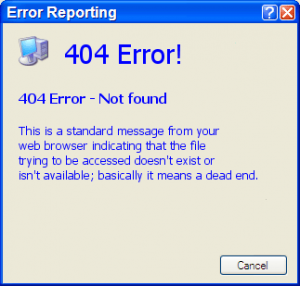 Another common mistake I see is webmasters redirecting all pages on their site with a 301 redirect to a pre-made “under construction” page…and this is where the trouble starts.
On the surface, it might seem fine to bring down your site this away. After all if a human visits your site, they will see an attractive “maintenance” page and come back at a later date.
However in the eyes of the search engines, Google will think that your entire website has been moved and now points to your “maintenance” page. And given enough time, this could have disastrous results on your search engine rankings.
The problem is that it’s fairly easy to fall into this trap. For example Open Cart, a popular open source shopping cart that I recommend, offers a maintenance mode option which seamlessly redirects all customers to a custom “under construction” page.
However, the problem is that Open Cart uses “301 Redirects” which tells Google that the pages have been moved permanently. As a result, Open Cart’s maintenance mode is really only good for the beginning stages of web development when you don’t have any real customers yet.
A Better Solution
So what’s a better way to do this? A much better solution involves letting both humans and the search engines know that your website is only temporarily down and this can be accomplished with a special status message called a “503 status code”.
In a nutshell, a 503 code indicates that your website is temporarily unavailable. In addition to being unavailable, you can also tell the search engines when to come back again when you think your website will hopefully be ready.
Here’s how to issue a 503 status return code for your website. The first thing you need to do is create a special file called 503.php. Then in your 503.php file, you need to insert the following lines of code at the top of your file.
Note: The “Retry-After” parameter below indicates to the search engines when you want them to come back again. The time unit is in seconds so in the example below, we are telling Google to come back after 60 minutes.
header(“HTTP/1.1 503 Service Temporarily Unavailable”);
header(“Status: 503 Service Temporarily Unavailable”);
header(“Retry-After: 3600”);
?>
After these lines, you can then use the rest of this file to create a custom “under maintenance” page. Finally, you should edit your .htaccess file to redirect all visitors to your 503.php page by adding the following lines.
RewriteEngine on
RewriteCond %{REMOTE_ADDR} !^111\.111\.111\.111
RewriteCond %{REQUEST_URI} !/503.php$ [NC] RewriteRule .* /503.php [R=302,L]
In a nutshell, the above lines in your .htaccess file will redirect all visitors to your 503.php file which will tell both humans and search engines that your site is under maintenance.
Make sure that you put your own IP address where you see the numbers 111.111.111.111 above so that you can still access your site from your own computer.
The Best Way To Put Your Site Under Maintenance
 So creating a 503 maintenance page is all fine and good but obviously the best solution to your maintenance problem is to never bring down your site at all which is what I do with my online store.
Instead of taking down my site whenever I need to work on it, I have 2 identical versions of my website installed on my server. The second copy of my site is called a staging site.
If I need to make changes to my online store, I can leave my existing website live while I work on an identical copy in the background. Then, once I’m done making and testing my new changes, I can immediately copy them over to the live site.
This way, I get a chance to thoroughly test and update my changes without worrying about losing sales.
There are two ways to create a staging site and it doesn’t matter which way you choose. One option is to create a completely separate subdomain for your site and create an identical installation.
For example, you could use the URL staging.yoursite.com for your staging site.
Alternatively, you can simply create a brand new subdirectory under your public_html directory and perform an identical installation there. Either way, you’ll end up with 2 versions of your live site to work with so you don’t miss out on any revenue.
So the next time you feel like you need to bring down your website for maintenance, you might want to consider implementing a staging site for your online store. After all, if your store is not open, then you aren’t making money.

