

Podcast: Download (Duration: 48:06 — 55.3MB)
You can now get real email addresses for anonymous visitors on your website by installing a visitor-identification pixel (like GetEmails, the company Adam Robinson bootstrapped to $10M ARR in 24 months) that resolves 40 to 50 percent of your US traffic into deliverable email addresses at $0.05 to $0.25 per lead. It is legal in the US under CAN-SPAM’s opt-out framework, illegal in Europe (GDPR) and Canada, and it works because ad-tech vendors already tag your visitors with anonymous identifiers that can be matched to plain-text emails using data purchased from email service providers.
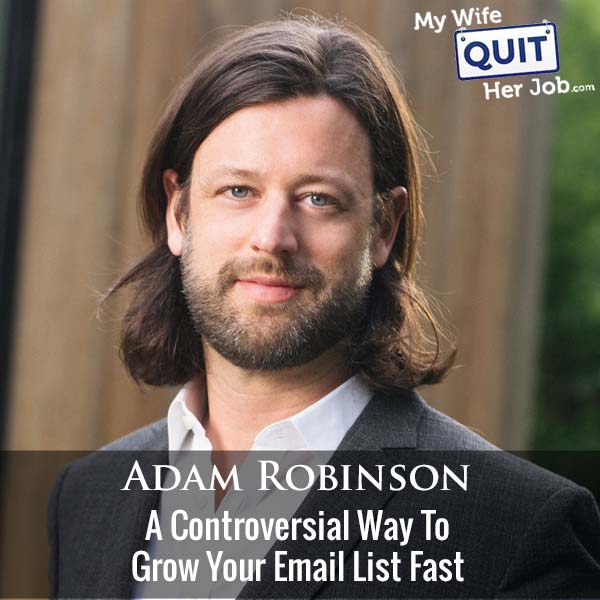
In this episode I sat down with Adam Robinson, founder and CEO of GetEmails, to walk through the exact technology behind visitor-identification email marketing, why it is legal in the US but not Europe, the exact welcome sequence that turns these cold leads into revenue, and the deliverability math that keeps you from blowing up your sender reputation.
Below is the full playbook: how the pixel actually captures anonymous traffic, what a resolved email is worth compared to a Facebook lead, the CAN-SPAM legal answer, the recommended cadence, and the two percent rule that keeps this from destroying your inbox placement.
Get My Free Mini Course On How To Start A Successful Ecommerce Store
If you are interested in starting an ecommerce business, I put together a comprehensive package of resources that will help you launch your own online store from complete scratch. Be sure to grab it before you leave!
Table of Contents
Key takeaways
- Visitor identification pixels resolve 40-50% of US traffic. At $0.05 to $0.25 per email, it is a fraction of Facebook lead costs ($2-$3).
- It is legal in the US and illegal in Europe/Canada. CAN-SPAM is opt-out legislation. GDPR and Canadian law require first-party opt-in.
- Resolution works by matching ad-tech cookies to plain-text emails. Vendors like LiveRamp pay ESPs to drop identifier pixels; those identifiers get matched back to purchased email databases.
- Only emails with recent open/click activity get sent to you. That activity filter is what protects deliverability.
- Warby Parker, Dr. Squatch, Rolling Stone, Billboard, and Variety are customers. Serious brands with serious legal teams have cleared it.
- Start at 2% of your 30-day openers per day. That is the safe cold-lead injection rate that keeps deliverability intact.
- Do not segment cold leads into a separate list. Mix them with your main sends so ISPs cannot fingerprint the lower-quality pool.
- Only about 20-30% of revenue comes from the welcome flow. The rest comes from ongoing newsletter retargeting over 90+ days.
What is anonymous visitor identification and how does it work?
Anonymous visitor identification is a marketing technology that captures your website visitors who did not fill out a form or purchase anything and returns their deliverable email addresses so you can add them to your email list. It works by matching ad-tech cookies to plain-text email databases and filtering for recent engagement.
The mechanism has three layers. First, the identity layer: ad-tech vendors like LiveRamp already tag your visitors with anonymous cookies (often MD5 hashes of email addresses).
Second, the database layer: services like GetEmails buy plain-text email lists from lead-generation sites and match them back to those hashes. Third, the activity filter: they only pass along emails that have opened or clicked something in the wider email ecosystem in the last 7 days.
That third layer is the deliverability protection. Without it, you would be buying a list of dead addresses, and dead addresses become spam traps after 18 months of inactivity, which is exactly what kills sender reputation.
Is anonymous visitor identification legal under CAN-SPAM?
Anonymous visitor identification is legal in the US under CAN-SPAM 2003 (reviewed 2019), which is opt-out legislation with no first-party opt-in requirement. It is illegal in Europe (GDPR requires first-party consent) and Canada (CASL is opt-in for email marketing).
The reason most people assume email is opt-in in the US is that email service providers, spam filter operators, and inbox providers like Gmail and Hotmail have spent 15 to 20 years extolling the virtues of opt-in email marketing to reduce spam. That is a best practice, and not a law.
California’s CCPA is often described as the “GDPR of the USA,” but the two are not equivalent. CCPA is also opt-out, requiring you to disclose data collection, delete on request, and honor do-not-sell requests.
It does not require opt-in for email, because doing so would conflict with federal CAN-SPAM law.
How much does visitor identification cost per email vs. Facebook leads?
Visitor identification costs $0.05 to $0.25 per resolved email address, compared to $2 to $3 per lead from Facebook lead ads. At high volume the cost drops into the high single-digit cents, so the unit economics are 10x to 50x better than paid social lead generation.
The quality is roughly comparable to a Facebook lead, and lower than a first-party opt-in on your own site. But the visitor already showed intent by landing on your page and browsing your products, so the resolved email is warmer than a random cold list purchase.
Aggregate open rates before Apple’s Mail Privacy Protection changed the game were 20 to 30 percent. Post-Apple, opens are less reliable, but engagement and downstream revenue have held up.
What is the quality ranking of email leads from best to worst?
The quality ranking of email leads from best to worst is: first-party opt-in on your site, visitor-identification resolved emails, Facebook lead form emails, then bought lists / co-registration data. First-party is unbeatable but caps out at 3-5% of your traffic even if you are the best in the world at capture.
Visitor identification lands slightly above Facebook lead ads because the visitor was already on your site (real intent) versus scrolling social (interruption). Both are warmer than any purchased list, because bought lists are typically old, low-intent, and stuffed with spam traps.
How does the GetEmails technology actually resolve an anonymous cookie to an email?
GetEmails resolves an anonymous cookie to an email by cross-referencing MD5-hashed email identifiers (dropped in cookies by ad-tech networks like LiveRamp) against a database of plain-text emails purchased from lead-generation sites. The same email always hashes to the same MD5 string, so a lookup returns the plain-text version.
LiveRamp pays email service providers to embed a pixel in every marketing email they send. When a subscriber clicks an email link, the pixel drops a cookie in the browser with an email hash. That hash rides along as the person browses the web.
When a visitor with one of those cookies lands on your GetEmails-instrumented site, the software reads the hash, looks up the plain-text email in the purchased database, checks if that email has open or click activity in the last 7 days, and if all three conditions hit, hands you the address.
The exact welcome email sequence for visitor-identified leads
The exact welcome email sequence for visitor-identified leads is your existing welcome series, copied and pasted with one change: swap “thanks for subscribing” in email one for “thanks for stopping by the site.” That’s the whole implementation.
The recommended flow works like this. Email one goes out immediately with a subject like “Thanks for stopping by the site.” Emails two through five mirror your standard welcome sequence (founder story, best sellers, coupon, social proof). If the lead does not open by roughly email 30 in your ongoing newsletter, drop them from the list.
Only about 20-30% of the total revenue from these leads comes from the welcome flow itself. The other 70-80% comes from continued newsletter sends over 90 days, so measure ROI on a 90-day horizon, not a 2-week one.
Should you email a visitor-identified lead immediately or wait?
Email a visitor-identified lead immediately, ideally within 15 minutes of them leaving your site, because the memory of visiting your brand is still fresh. Waiting a day means many people no longer remember why they are getting an email from you.
Some brands adjust the delay based on their traffic patterns. If visitors typically spend a long time on product pages (watches, high-consideration goods), delay the send 30 to 45 minutes so the email lands after they finish browsing.
The “creepy” objection is real, and getting less real every year. Younger buyers have almost zero expectation of privacy in email marketing, and the same “how did you get my address” reaction now shows up even for first-party opt-ins.
The 2% rule that protects deliverability when adding cold leads
The 2% rule that protects deliverability when adding cold leads is: add no more than 2% of your 30-day openers per day as cold leads, with an absolute maximum of 5%. Cold leads mixed at that ratio get masked by your engaged base and do not trigger ISP filters.
An easier starting formula for new customers: start at 10% of your daily unique US visitors for the first couple of months. That number is always well below the 2%-of-30-day-openers threshold, and it lets you prove ROI safely before scaling.
Once cold leads start engaging, they become part of your core engaged base. Your 30-day-openers count grows, which means your 2% cold-lead ceiling grows too. It’s a virtuous cycle that compounds if you do not push it too hard early.
Why you should NOT segment cold leads into a separate list
Do not segment cold leads into a separate list, even though that seems more “responsible.” Sending a separate blast to a lower-quality pool lets ISPs like Gmail and Hotmail fingerprint the content type and lower deliverability for that segment specifically. Mix the cold leads into your regular sends instead.
The high-engagement / low-engagement split-send strategy some marketers use (send to your best openers first, then to unknowns) is a different tactic and still works. That’s about the SEND order within a mixed list. The mistake is creating a separate LIST just for cold leads and treating them as a distinct audience for the ISPs to profile.
Who should use visitor identification and who should skip it?
Visitor identification works for stores that already have meaningful traffic and a working email program. If you have neither, the technology has nothing to resolve and nowhere to deploy the leads.
The two requirements: enough US website traffic that a 40% resolution rate produces useful volume, and an existing email program generating real revenue so the added leads have somewhere profitable to land. If ads are already producing ROI on your welcome flow, visitor identification is fuel on the fire.
If you have 500 visitors a month and no working email flows, spend the money on traffic and conversion optimization first. Come back to this once you have the fundamentals.
Frequently asked questions
How much does visitor identification cost per email address?
Visitor identification costs $0.05 to $0.25 per resolved email address, compared to $2 to $3 per lead from Facebook lead ads. At high volume the price drops into the high single-digit cents. The unit economics are 10x to 50x cheaper than paid social lead generation.
Is anonymous visitor identification legal in the US?
Yes. CAN-SPAM 2003 (reviewed 2019) is opt-out legislation with no first-party opt-in requirement, so identifying an anonymous website visitor and emailing them is legal in the US. It is illegal in Europe under GDPR (first-party consent required) and in Canada under CASL (opt-in required for email).
Does California’s CCPA make visitor identification illegal?
No. CCPA is also opt-out legislation. It requires disclosure of data collection, deletion on request, and honoring do-not-sell requests, but it does not require opt-in for email marketing because doing so would conflict with federal CAN-SPAM law.
What is the resolution rate for a visitor identification pixel?
A visitor identification pixel typically resolves 40 to 50 percent of US website traffic into deliverable email addresses. The service reads MD5-hashed email identifiers from ad-tech cookies, matches them to plain-text databases, and filters for recent open/click activity before passing you the address.
How do you keep deliverability intact when adding cold leads?
Add no more than 2% of your 30-day openers per day as cold leads, with 5% as an absolute maximum. Mix them into your regular sends rather than segmenting them into a separate list, so ISPs cannot fingerprint the lower-quality pool. Start conservative (10% of daily unique US visitors) and grow from there.
What is the welcome email sequence for a visitor-identified lead?
Copy your existing welcome series, change email one’s subject from “thanks for subscribing” to “thanks for stopping by the site,” and let it run. If the lead does not open by roughly email 30 in ongoing sends, drop them. Only 20-30% of revenue comes from the welcome flow itself, so measure ROI on a 90-day horizon.
How soon should you email a resolved anonymous visitor?
Email them within 15 minutes of leaving your site so the brand memory is fresh. If your traffic typically spends longer on high-consideration product pages, extend the delay to 30-45 minutes so the email lands after they finish browsing.

