

Podcast: Download (Duration: 43:02 — 49.5MB)
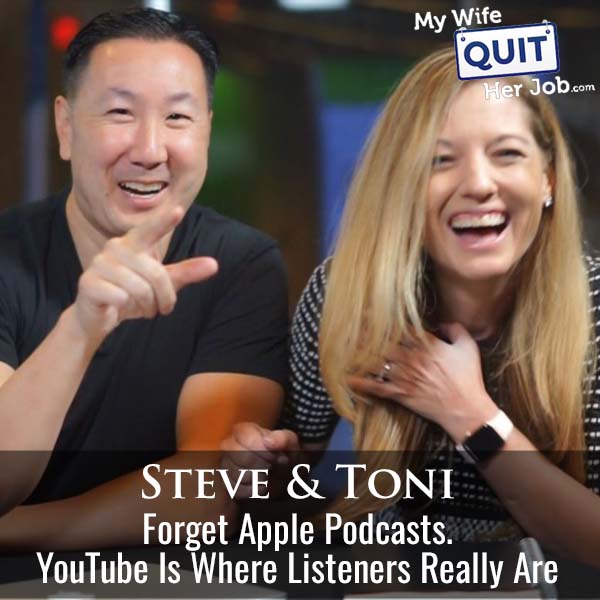
YouTube is now the number one platform for weekly podcast listeners, which is why every new podcast should launch a video version on YouTube from day one, and why I finally launched the video version of the My Wife Quit Her Job podcast after 11 years of audio-only publishing. On this episode I sat down with my co-host Toni Anderson to walk through the exact decision (separate channel vs. combined), the editing stack that made the video version economical, and the traps every podcaster should avoid when moving to YouTube.
Video podcasts on YouTube get pulled in a way audio podcasts never can: through the YouTube algorithm, through YouTube TV suggestions on the actual television, and through cross-links from YouTube’s shopping and search surfaces. That is why in my own webinar audience surveys, the answer to “how did you find me?” has flipped from “the podcast” five years ago to “YouTube” almost universally today.
Below is the full playbook: why YouTube overtook Apple and Spotify, whether you should combine channels, what to do about editing, and the guest and thumbnail workflow that actually scales.
Get My Free Mini Course On How To Start A Successful Ecommerce Store
If you are interested in starting an ecommerce business, I put together a comprehensive package of resources that will help you launch your own online store from complete scratch. Be sure to grab it before you leave!
Table of Contents
Key takeaways
- YouTube is the number one platform for weekly podcast listeners, largely because most people now watch YouTube on their TV (via YouTube TV, integrated smart-TV YouTube buttons, and 65-inch 4K TVs that cost $300 to $400).
- If you already run a successful non-podcast YouTube channel, launch the video podcast on a separate channel to avoid dragging down your existing videos’ watch-time metrics.
- New podcasters starting from scratch should put the podcast on YouTube from day one. It is a no-brainer with no downside.
- Do not blast your email list to a fresh podcast episode on YouTube. Wait about a week so YouTube’s algorithm can find real viewers first; email-driven clicks with short watch times hurt the video.
- Firecut (with a DaVinci Resolve version coming) automates two-camera switching, um/uh removal, zoom cuts, and B-roll insertion. It makes editing a two-stream video podcast almost hands-off.
- Short-form clips work as promo, but only if the editor is skilled enough to cut individual words together, add B-roll, and caption cleanly. Cheap overseas clip editors typically cannot spot the interesting moments.
Why YouTube is now the number one podcast platform
YouTube is now the number one platform for weekly podcast listeners because most people watch YouTube on their TV rather than a computer or phone, and YouTube TV plus smart-TV integrations have made YouTube the default “just another channel” for consumers who have cut cable. Every new 65-inch smart TV ships with a dedicated YouTube button on the remote and integrated YouTube TV as an option, so YouTube shows up in front of shoppers by default.
Two secondary drivers matter. First, YouTube TV has become a serious cable replacement (including deals like NFL Sunday Ticket), and it aggressively promotes YouTube video content inside the YouTube TV interface. Second, YouTube TV commercials increasingly include a “send to phone” button that lets shoppers move directly to a purchase, which shortens the distance from ad view to conversion and increases advertiser demand.
The evidence I trust the most is my own webinar audience. Five years ago, when I asked how attendees found me, most said “the podcast.” Today it is almost universally “YouTube,” to the point where one outlier person says something different per webinar. That is the shift.
Should you put your podcast on your existing YouTube channel or start a separate one?
If you already have a successful non-podcast YouTube channel generating meaningful revenue, launch the video podcast on a separate channel. If you are starting from scratch with no existing channel, put the podcast on YouTube from day one and do not overthink the decision.
The reason to separate is protective. A one-hour podcast has a completely different watch pattern than a 10-to-15 minute standard YouTube video, and mixing them trains YouTube’s algorithm to serve your regular videos to the wrong audience. My YouTube mastermind was unanimous that combining the two would risk tanking the main channel’s performance.
My YouTube rep at YouTube pushed the opposite argument: launching a fresh channel wastes the 450,000+ subscribers already on my main channel who would happily watch the podcast. The tie-breaker for me was that my main channel generates six figures. When there is real revenue at risk, do not experiment on the whim.
The one middle path that works is publishing short clips (not full episodes) of your podcast to your main channel. Those can perform like standalone videos and drive discovery to the separate podcast channel underneath.
Which podcasters actually combine long-form podcasts with regular YouTube videos on the same channel?
Almost nobody does this successfully. When I scoured YouTube for examples of channels that mix regular short-form YouTube videos with full-length podcast episodes, I could only find one person doing it reasonably well, and even in that case the 10-to-15 minute “regular” videos were actually clips of the podcast repackaged.
When I asked my YouTube rep for examples, she sent three, and all three followed the same pattern: podcast episodes plus podcast clips repackaged as regular videos, not genuinely separate content types. Some of the clips were edited so tightly that they read like regular long-form videos, which is a real strategy, but not a “one channel does both natively” strategy.
The takeaway: assume the two content types do not mix on one channel. The exception is if you are willing to invest heavily in cutting your podcast into standalone-quality videos that hide the podcast format.
How to edit a video podcast without going broke
The editing stack that makes a two-camera video podcast economical is a plugin called Firecut, which takes both video streams and automatically switches camera angles, cuts out ums and ahs, adds zoom cuts, and can even insert B-roll from a Storyblocks account. To first order you can publish straight out of Firecut with minimal manual touch-up.
Firecut supports Premiere today, with a DaVinci Resolve version coming. The output is polished enough that the only manual work I do is enhancing the first minute of each episode with extra B-roll and animation on the guest introduction, because a strong first minute is what drives watch-time on YouTube.
Editing was the single biggest reason I waited 11 years to launch the video version. Manually switching between two camera streams, cutting filler words, and adding zoom cuts is 5 to 10 hours of edit work per episode.
Firecut compresses that into a few minutes. It is genuinely why the economics finally worked.
How to make short-form clips from a podcast for TikTok and YouTube Shorts
The best short-form clips from a podcast are edited word-by-word by a skilled editor who can identify the interesting moment, cut individual filler words out, add B-roll, and caption the result. Automated tools like Opus Clip produce mediocre results. Cheap overseas clip editors typically cannot spot what is actually interesting.
I tried Opus Clip for a long time and eventually switched to a hybrid approach: for my regular YouTube channel, I now just record fresh standalone clips myself instead of trying to slice them from long-form conversations. Direct-to-camera clips take less time than editing a good podcast clip.
For actual podcast clips (with a guest), the best example I have seen was a friend who had me on his podcast and delivered 10 clips back to me that were genuinely well done. His editor painstakingly cut individual words and three-word phrases together, added B-roll, and captioned each clip. It looked slightly choppy in a good way and removed 100% of the filler.
The economic tradeoff on that editor is real. A stateside video editor with that skill costs roughly 5x an overseas one, and you get what you pay for. If short-form is a real acquisition channel for you, pay the stateside rate.
How to launch a YouTube podcast: the promotion strategy that works
The way to launch a YouTube podcast without hurting the algorithm is to publish the episode, wait roughly a week for YouTube to organically distribute it to new viewers, and only then send the episode to your email list. Blasting your email list on day one drives clicks with short watch times (readers who bounce after 30 seconds), which YouTube reads as a bad video and suppresses.
Two more distribution moves worth doing. First, use YouTube Community Posts on your main channel to point your existing audience at the new podcast channel, once you have real distribution momentum on the podcast itself. Second, post short-form clips as Shorts on both channels; on the main channel they will get more views and can funnel viewers to the podcast channel.
Expect a slow ramp. I am giving my own YouTube podcast a full year before I judge it. Even for a creator with 450,000+ subscribers on a related channel, a brand-new podcast channel is still a brand-new channel and takes the same slog every other channel takes.
How to help podcast guests deliver a better video
The way to help podcast guests deliver a decent video is to tell them upfront it is a video podcast, ask them to sit in a well-lit area, use earphones for cleaner audio, and use at minimum their phone camera or a webcam. Do not obsess over guest quality: audio is now the easiest thing to fix with AI post-processing, and viewers care about content substance far more than production polish.
The gold standard is asking guests to come to a studio (which is what Joe Rogan, Brandon Turner, Dax Shepard, and Kristen Bell do), because it guarantees camera, mic, and lighting consistency. That is only worth it if the podcast is the core of your business, and you have enough gravity that guests will travel to you.
For guests who are not professional creators (successful ecommerce sellers, subject matter experts, first-time interviewees), assume they have nothing. Ask them to plug a $20 lav mic into their phone and sit near a window. You will get 80% of the quality with 5% of the friction.
How thumbnails work for a YouTube podcast
Podcast thumbnails follow the same rules as regular YouTube thumbnails (bold facial expressions, high contrast, minimal text, tested against 3 to 4 variants), and every episode needs its own custom expression rather than a reused template. For a new podcast channel with minimal views, invest less time per thumbnail than you would on your main channel and scale up once the channel earns real revenue.
My main channel thumbnail process is intense. I generate 12 versions per video, pick my top 4, run titles through vidIQ’s AI for opinions, and let my co-host cast the tie-breaking vote. For the podcast channel, I use a simpler two-photo layout (me plus the guest) with a one-line hook and skip the multi-round testing.
If a guest ever objects to their thumbnail photo, swap it. Do not fight over a thumbnail because the relationship is worth more than the thumbnail. Most professional guests understand that “interesting expressions get clicks” and will trust the process once they see the results.
What is a realistic timeline and view expectation for a new video podcast?
A realistic timeline for a new video podcast on YouTube is 12 months to reach 1,000+ views per episode consistently, and years to reach the six-figure per-episode view counts of an established creator. Do not judge the channel by early view counts. Judge it on watch-time trends, subscriber growth, and whether it is finding new viewers who never saw your other content.
Watch-time is your leading indicator. Even at low view volumes, a podcast can have 2x to 3x the watch-time of standard YouTube videos, because a listener who commits to a full episode gives you 40+ minutes of session time. That is a positive signal to the algorithm even when raw view counts are small.
Frequently asked questions
Is YouTube really the number one podcast platform in 2026?
Yes. YouTube is now the number one platform for weekly podcast listeners, and one of the biggest drivers is that most people watch YouTube on their TV via smart-TV apps and YouTube TV. Apple Podcasts and Spotify are still important, but YouTube is where the incremental audience is growing.
Should I put my podcast on my existing YouTube channel?
If your existing YouTube channel already generates meaningful revenue with short-form standard videos, launch your podcast on a separate channel to avoid disrupting the algorithm’s read on your main content. If you are starting fresh with no existing YouTube presence, put the podcast on YouTube from day one on your main channel.
What is the best editing tool for a two-camera video podcast?
Firecut is currently the best editing tool for a two-camera video podcast because it automates camera switching, removes ums and ahs, adds zoom cuts, and can insert B-roll from a Storyblocks account. It runs in Adobe Premiere with a DaVinci Resolve version reportedly coming, and it makes video podcast editing close to hands-off.
Should I email my list every time I publish a new podcast on YouTube?
No. Wait about a week after publishing before emailing your list, so YouTube can organically distribute the episode to new viewers who watch longer. Email-driven clicks with short watch times hurt the video’s algorithmic performance.
How long does a podcast guest need for a decent video?
For a decent video, a podcast guest needs a well-lit area (ideally facing a window), earphones for cleaner audio, and any camera at least as good as a modern phone camera. A cheap lav mic plugged into a phone is a huge audio upgrade if the guest does not already own a proper microphone.
Do people actually watch podcasts on YouTube or just listen?
Most YouTube podcast viewers listen with the video running in the background, glancing over only when the host references a webpage, an image, or plays a clip. The video half of the format is more about YouTube distribution and TV surface area than about people staring at the screen for an hour.
Is it worth cutting podcast clips for TikTok and YouTube Shorts?
Yes, but only if the clips are edited by someone skilled enough to spot the interesting moment, cut individual filler words, add B-roll, and caption cleanly. Poorly edited clips will hurt your brand more than they help. A skilled stateside editor costs roughly 5x an overseas editor for a reason.

