

Podcast: Download (Duration: 53:53 — 61.9MB)
LinkedIn works for business owners in a way no other social platform does: you can post once a week, or even once every few weeks, and still reach your entire audience. Judi Fox took four months off posting entirely, came back, and her next post reached over 40,000 views against roughly 40,000 followers. The platform rewards scarcity rather than volume.
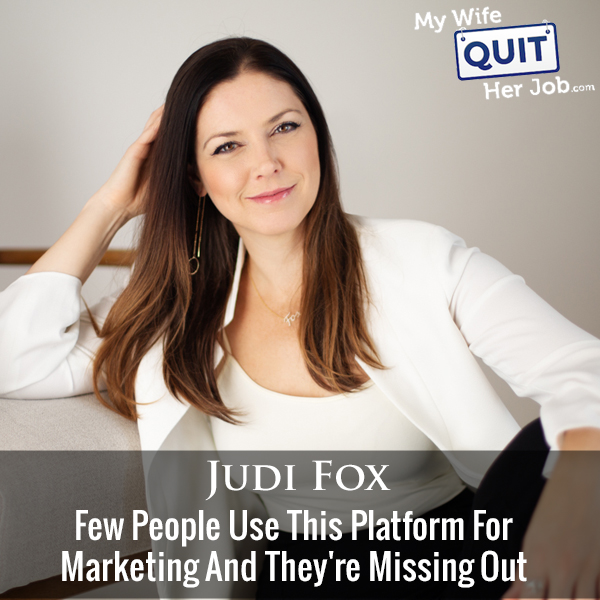
In this episode I sat down with Judi Fox, who runs the LinkedIn Business Accelerator, to break down how business owners should actually use LinkedIn. I had not touched my own profile in years before this conversation, and it substantially changed how I think about the platform.
Below is the complete framework: treating your profile as a landing page with cold, warm, and hot conversion paths, the commenting strategy that produced a 5,000% visibility increase, why LinkedIn’s rules are the opposite of Instagram’s, and the early-adopter features worth turning on now.
Get My Free Mini Course On How To Start A Successful Ecommerce Store
If you are interested in starting an ecommerce business, I put together a comprehensive package of resources that will help you launch your own online store from complete scratch. Be sure to grab it before you leave!
Table of Contents
Key takeaways
- Post once a week, not daily. Overposting exhausts a LinkedIn audience that expects successful people to be busy.
- 15 high-quality comments over 3 days produced a 5,000% visibility increase. Comment before you post.
- Put links directly in posts. The “links in comments” advice is a myth LinkedIn executives have explicitly refuted.
- Treat your profile like a landing page. Banner social proof, about section, then cold/warm/hot featured links.
- Turn on Creator Mode. New features roll out only to Creator Mode accounts.
- LinkedIn’s tone is “with us,” not “at us.” Curious leader, coach, or creator voice rather than guru broadcasting.
- Your LinkedIn ranks on page one for your name. People Google you looking for confirmation, and your profile either builds or breaks it.
- Repurpose TikTok content directly. Career and story-driven content works, and almost nobody is doing it.
Why LinkedIn matters even if you are not job hunting
LinkedIn matters because it ranks on page one of Google for your name, and people Google you before doing business with you. The mindset when they search is looking for confirmation they are making a good decision.
Someone who already wants to work with you, host you on their podcast, or refer you is searching for reassurance. Your LinkedIn profile either amplifies that confidence or undermines it.
Business happens through people rather than companies. Referrals come attached to names, and LinkedIn is where a name resolves into a credible person.
How to treat your LinkedIn profile like a landing page
Structure your LinkedIn profile the way you structure your website’s landing page, with the same customer journey and ideally the same visual language.
The sequence top to bottom:
- Banner: visual imagery plus social proof, the same “as seen in” logos you use on your site, and one call to action. Judi’s banner shows her filming at YouTube headquarters alongside press mentions.
- About section: the equivalent of your website’s About page, which is consistently among the most-clicked pages on any site.
- Featured section: three clickable links structured as cold, warm, and hot conversion paths.
Optimize your headline and experience section titles for the terms your ideal client would actually search. That drives visibility in both LinkedIn search and Google.
The cold, warm, and hot featured links framework
The featured section should contain exactly three links matched to three levels of trust, rather than an overwhelming list.
Cold keeps people on LinkedIn. Feature one of your own high-performing posts, which displays its likes and comments as visible social proof. A new visitor trusts an internal link. Feature only one, since making people choose is friction.
Warm moves them off-platform to longer content: a podcast episode, a YouTube channel. This works for someone who has encountered you a few times and wants more.
Hot is your direct conversion. Judi uses an application form that gates access to her calendar. A Calendly link with qualifying questions works for a simpler business.
The commenting strategy that beats posting
Comment strategically before you invest in posting. Judi documented a case where 15 high-quality comments over three days produced a 5,000% increase in profile visibility, taking someone from zero engagement to a post reaching 5,000 views with 120 likes and comments.
The method: identify five to ten active accounts you would genuinely be happy to share a conference stage with, working in your space or an adjacent one. Then consistently leave substantive comments on their content.
The mental model Judi uses is a panel of experts on stage. Commenting on someone’s post is taking the microphone next to them, in front of their audience. Doing that consistently with the same handful of people builds far more visibility than scattering random comments across the feed.
Her other framing: commenting is collecting arcade tickets, and posting is cashing them in.
This is essentially how blog commenting worked in the early days, and how contributing to a Facebook group works now. Give what you want to get.
Why posting less often works better on LinkedIn
LinkedIn’s culture assumes that a successful business person should not be constantly available. A rare post reads like running into the CEO in the elevator, which carries more weight than a daily feed presence.
Judi took four months off posting entirely, commenting only, and her return post reached over 40,000 views against roughly 40,000 followers. Full audience reach and beyond.
The contrast with Instagram and Facebook is structural. Those platforms show your posts to a single-digit percentage of followers, which forces daily posting. LinkedIn does not suppress reach the same way, so one post a week is genuinely enough.
Overposting also burns out the audience you have built. Even 500 followers will disengage if you overwhelm them on a platform that does not operate at that tempo.
Her recommendation: post weekly, and spend the time you would have spent posting on strategic commenting or joining LinkedIn audio events instead.
The three leadership voices that work on LinkedIn
LinkedIn’s tone is “with us” rather than “at us,” because people are there to feel smart and network rather than to be told what they do not know. Three voices work.
The curious leader crowdsources opinions rather than lecturing. Judi’s post asking simply “what do you think of the term self care?” reached about 50,000 views because the comment section filled with people sharing views and feeling smart for participating.
The coach or resource shares useful things without positioning as the authority. Her example: a short video listing her top three Chrome extensions for LinkedIn.
The creator gives action steps framed as personal experience. “These were the three steps I took to start my business, and here is what I would try if you have tried other things,” rather than prescribing.
The failure mode is arriving from Instagram or Facebook with a guru broadcast energy, which reads badly to a LinkedIn audience.
Why the “links in comments” advice is wrong
Put links directly in your LinkedIn posts. The widespread advice to move links to the comments because posts with links get suppressed is a myth, and Judi has confirmed this directly with LinkedIn senior executives.
LinkedIn positions itself as a news source and a resource. Sending people to a genuinely useful external destination is exactly what the platform wants.
Her client’s result: a post with a direct signup link for a $3,000 course reached 50,000 views and generated roughly $90,000 in a week.
The real reason link posts underperform for most people is the social sharing image. Stock photos and images that fail to convey what you are clicking on kill the post. Either control that image deliberately (YouTube thumbnails work well) or remove it entirely using the X in the corner.
Why you should turn on Creator Mode
Creator Mode is a toggle in your profile dashboard, and turning it on is how you get early access to new LinkedIn features.
What it currently unlocks: a 30-second video in place of your static profile photo, five custom hashtags you want to be known for, and access to LinkedIn Live, newsletters, and audio rooms.
More importantly, LinkedIn is rolling out new features exclusively to Creator Mode accounts, including a short-form video product similar to TikTok and Reels arriving in 2022.
It also converts your profile to a follow model rather than a connection model, which is more appropriate for a business audience. Nothing is lost by enabling it.
What is worth featuring: custom hashtags and the bell
Two mechanisms let followers opt into your content more deliberately than the main feed allows.
Custom hashtags: Judi built #FoxRocks to over a thousand followers, which means every post she makes appears at the top of the feed for those thousand people.
The bell: a newer feature letting visitors enable notifications for your posts, functionally equivalent to YouTube’s notification bell. This works especially well alongside infrequent posting, since followers can trust they will not be flooded.
Both need a consistent call to action at the bottom of every post, the same way a YouTube channel closes every video the same way.
Why LinkedIn audio rooms convert better than Clubhouse
LinkedIn audio rooms are in beta and reaching small audiences, and business deals are closing in them at higher rates than in much larger Clubhouse or Twitter Spaces rooms, because the decision makers are present.
Judi attended a Guy Kawasaki room with only about 20 attendees despite his two million followers, because LinkedIn is deliberately limiting distribution while stabilizing the product. That created an intimate fireside chat with someone otherwise unreachable, which is what early adopter advantage looks like.
An NFT group she follows has been restructuring their strategy around this. Their Twitter Spaces draw far more people, and their LinkedIn rooms of 50 to 100 produce more actual deals.
The credibility difference underneath it: you can claim anything in a Clubhouse bio, and LinkedIn carries real social capital. False employment claims get removed, recommendations are visible, and people routinely message your listed references to ask what working with you was actually like.
Should you repurpose TikTok content to LinkedIn?
Repurpose TikTok content to LinkedIn directly, without modification beyond the caption. Career advice, storytelling, and practical tips all work, and almost nobody is doing it yet.
The adjustment worth making is reframing the caption for a professional audience. A TikTok about reading fine print becomes “the number one thing to check in the fine print when booking with [airline].”
Long-form video also performs. Judi has posted ten-minute videos reaching 20,000 to 60,000 views, and the mechanism that makes them work is timestamping the value in the post text, exactly as you would in a YouTube description.
Frequently asked questions
How often should you post on LinkedIn?
Once a week is enough, and even less can work. LinkedIn does not suppress organic reach the way Instagram and Facebook do, and its culture assumes successful people are too busy to post constantly. Judi took four months off and her return post reached over 40,000 views against 40,000 followers.
Should you put links in LinkedIn posts or comments?
Directly in the post. The links-in-comments advice is a myth that LinkedIn executives have explicitly refuted. LinkedIn positions itself as a resource and wants to send people to useful destinations. Link posts underperform because of bad social sharing images, not because of the link.
How do you get more visibility on LinkedIn?
Comment strategically before posting. Identify five to ten active accounts in your space and leave substantive comments consistently. One documented case: 15 high-quality comments over three days produced a 5,000% profile visibility increase and took the next post from zero engagement to 5,000 views.
What should be in your LinkedIn featured section?
Exactly three links matched to trust levels. Cold keeps people on LinkedIn (feature one high-performing post). Warm moves them to longer content off-platform (podcast, YouTube). Hot is your direct conversion (application form or qualified calendar link).
What is LinkedIn Creator Mode?
A toggle in your profile dashboard that unlocks a video profile photo, five custom hashtags, and access to LinkedIn Live, newsletters, and audio rooms. New features are rolling out exclusively to Creator Mode accounts, including short-form video. Nothing is lost by enabling it.
What kind of content works on LinkedIn?
Content with a “with us” tone rather than “at us.” Three voices work: the curious leader crowdsourcing opinions, the coach sharing resources without claiming authority, and the creator framing action steps as personal experience. Guru broadcasting from Instagram or Facebook reads badly.
Are LinkedIn audio rooms worth using?
Yes, particularly while they are in beta. Rooms are small because LinkedIn is limiting distribution, which means unusual access to prominent people. Business deals close at higher rates than in much larger Clubhouse or Twitter rooms, because decision makers with budget are the ones present.

