

Podcast: Download (Duration: 39:48 — 45.8MB)
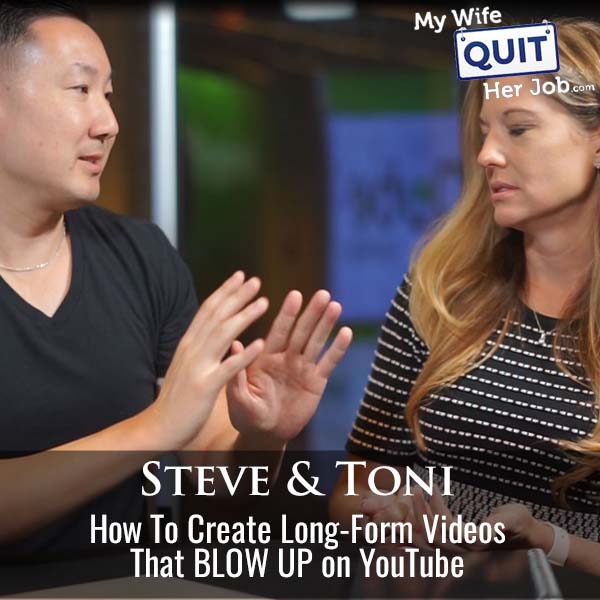
Long-form YouTube videos that consistently get watched come from removing five specific friction points: a permanent camera and lights setup, a teleprompter loaded with an outline (not a full script), AI-assisted hook writing, minimal editing on early videos, and a fixed weekly publish schedule. Co-host Toni Herrbach and I ran a 30-day long-form challenge in September inside our Profitable Audience course and the participants who hit their weekly cadence almost all had those five pieces in place. The ones who missed publish dates almost always failed on setup or editing overwhelm.
The mental model that separates the two groups is simple. Short-form is a dopamine hit that you can film on a phone in five minutes; long-form is a production loop, and the whole game is shortening every step of that loop until pressing record feels effortless. That is why creators like Rob Berger get hundreds of thousands of views per video with lop-off-the-front, lop-off-the-back editing while beginners burn hours on transitions no one watches.
Below I walk through the permanent setup, teleprompter and script approach, AI writing tools that actually help, editing software choices, batching and consistency, and the thumbnail and title choices that get the first few videos discovered.
Get My Free Mini Course On How To Start A Successful Ecommerce Store
If you are interested in starting an ecommerce business, I put together a comprehensive package of resources that will help you launch your own online store from complete scratch. Be sure to grab it before you leave!
Table of Contents
Key takeaways
- A permanent camera, lights, and mic setup is the single biggest unlock. Any friction to start recording kills consistency.
- Use a teleprompter with an outline (not a word-for-word script). Bullet points prevent the “forget everything” freeze without making delivery robotic.
- Claude by Anthropic writes better hooks than ChatGPT in my testing. Use it to draft intros when writer’s block hits.
- The best editing software is the one you find intuitive. CapCut, DaVinci Resolve, Camtasia, and Premiere all work; pick one and stop switching.
- Minimal editing on early videos beats heavy editing. Content quality determines whether a video takes off, not transitions.
- Batch film all your videos on one day per week so wardrobe, hair, and setup only happen once.
- Publish on a fixed weekly cadence. One video a week for a full year beats sporadic bursts of three.
- Titles need one keyword people actually search. Thumbnails need one clear text overlay. Don’t over-design either at the start.
How to make long-form YouTube videos that people actually watch
To make long-form YouTube videos people actually watch, you need to remove the five specific friction points that stop most creators: a permanent studio setup, a teleprompter with outline-only scripts, AI help for hooks, a single editing tool used minimally, and a strict weekly publish schedule. Everything else (thumbnail design, keyword research, camera angles) is optimization that only matters once you are already publishing consistently. Consistency is the multiplier; nothing else matters if you cannot get one video a week out the door for a year.
Long-form is intimidating for reasons short-form is not. There is a real psychological weight to a 10-minute video that carries your name.
Removing the intimidation is the entire job of the setup work below.
Step 1: Build a permanent long-form YouTube setup
The most important single decision for long-form YouTube is to make your recording setup permanent, because every minute you spend setting up lights, mounting a tripod, or clipping on a mic is a minute you use to talk yourself out of filming. I tried and failed to start my channel multiple times over the years, mostly because setup took 20 minutes and I had a green screen I had to tear down after every session. The moment I moved everything into a dedicated corner and left it live, I started publishing weekly.
You do not need a dedicated room. A corner of a den, a rarely-used dining room, or one section of a home office all work.
A minimum viable permanent setup:
- A camera on a tripod, fixed at eye level and framed. Even a phone works if it stays mounted.
- One ring light or softbox at the front. Two is nicer, one is enough.
- A lavalier or shotgun mic that stays plugged in.
- A teleprompter (a phone stand plus a $10 teleprompter mirror over the lens is fine).
- A neutral background that will not distract or need styling before every session.
The goal is that “start recording” is one click, not one hour.
Step 2: Use a teleprompter with an outline (not a full script)
The best long-form YouTube script is a bullet-point outline loaded into a teleprompter, because full word-for-word scripts read as robotic on camera and pure improvisation causes the “forget everything” freeze most creators experience when the record light goes on. I use a bullet outline for most videos and only write out full sentences for complicated intros where a specific hook matters. That combination keeps delivery natural without letting the camera erase what I planned to say.
The reason on-stage speakers do not freeze but on-camera creators do is that live speaking builds in acceptance of small flubs. Camera flubs feel permanent because “I can fix that in post” spirals into “I have to fix all of that in post.”
Two tactical rules that reduce editing pain later:
- When you flub a word, pause a full beat before restarting the sentence. The pause is what makes the mistake findable and removable.
- For long pauses, clap your hands. The audio spike is the fastest way to find edit points in the timeline.
Step 3: Use AI to write your hooks and outlines
Use AI to write hooks, intros, and content outlines when you hit writer’s block, because generative tools are now good enough to draft usable long-form intros that would take a beginner hours. Claude by Anthropic outperforms ChatGPT on creative writing tasks in my testing, and I now use it as the default for intros. When Toni and I rewrote a student’s pet-niche intro on air using Claude, the output was noticeably stronger than either of us expected.
You are not asking AI to write the whole video. You are asking it to draft the 30 to 60 seconds at the top that determine whether viewers stay past the hook.
A workflow that works well:
- Watch two or three videos in your niche in the 50,000 to 100,000 subscriber range. Pull their transcripts with a YouTube transcript Chrome extension.
- Paste each transcript into Claude and ask for a one-paragraph summary and the intro structure.
- Ask Claude to write three hook variants for your video topic in a similar structure.
- Pick one, rewrite in your voice, and paste into your teleprompter.
Step 4: Pick one editing tool and stop switching
The best YouTube editing software is the one you find intuitive on your machine at your price point, because switching between CapCut, DaVinci Resolve, Camtasia, and Premiere costs more in relearning time than any of them saves in features.
CapCut is my default for shorts and simple edits at about $60 per year. DaVinci Resolve is genuinely free and preferred by many of our students. Camtasia is comprehensive for tutorial creators.
I once forced myself to learn Adobe Premiere because it is the industry standard. It turned out to be many extra clicks for tasks Camtasia does in one, and for a solo teaching channel that overhead was pure waste.
The rule is: pick one, learn its keyboard shortcuts, and refuse the next shiny tool for at least six months.
Step 5: Do minimal editing on your first videos
Do minimal editing on your first long-form videos, because heavy editing kills your publish cadence long before it improves your view count. Content quality drives views far more than production polish. Our mutual friend Rob Berger gets hundreds of thousands of views per video with essentially no editing beyond trimming the front and back of a single take.
The Clear Value Tax YouTube channel is another example. The creator posts almost every other day, uses one camera angle, no B-roll, no annotations, and just talks about the economy with a serious expression. His videos consistently pull hundreds of thousands of views.
Minimal starter editing checklist:
- Trim dead air off the front and back.
- Cut obvious flubs where you paused and restarted.
- Add a title card if the video needs framing.
- Add one or two on-screen text callouts for key terms.
- Leave everything else alone.
If you are teaching software or a spreadsheet, screen recording plus a small talking-head bubble is usually the right layout, not fancy cuts.
Step 6: Batch film on one day per week
Batch film all your long-form videos on one day per week, because “get camera-ready” is one of the highest-friction tasks in the entire workflow and doing it once instead of five times per week is the whole game. Toni sets up on hair-wash days, gets fully film-ready, and knocks out multiple videos in a single session. Some creators also wear the same shirt every batch day so that if a segment gets re-cut later, wardrobe continuity holds.
The alternative is death by a thousand small excuses. If you tell yourself “I might film today,” you end up walking the dog, running an errand, and at 4:30 you no longer want to be on camera. If Tuesday is film day, you show up on Tuesday and film.
Have a rough shot list ready before the batch day so you are not writing scripts during your only camera-ready block.
Step 7: Just start recording (turn on and let it roll)
Turn the camera on and let it roll for the entire session rather than starting and stopping between segments, because start-stop recording creates hours of file wrangling and lost takes that never make it into the edit. I used to stop and restart every time I flubbed, and it made every video take two or three times longer to finish. Now I turn the camera on and let it run.
The rule that goes with continuous recording: when you flub, restart the whole paragraph from the beginning, not just the word. Restarting a full sentence gives the editor a clean take to grab; restarting a word creates a mid-sentence splice that is nearly impossible to hide.
Adobe Podcast (free) can auto-remove long silences from your audio, which is the fastest way to clean the resulting file for a talking-head video.
Step 8: Titles and thumbnails that get first views
Long-form YouTube titles need one clear keyword that people actually search, and thumbnails need one legible text overlay, because the algorithm shows early videos to almost nobody without a hook to click on. Use vidIQ or TubeBuddy to find the specific phrase people type for your topic and work it into the title naturally. Search traffic is what carries new channels before subscriber-driven distribution kicks in.
Thumbnails do not have to be studio-designed. The Financial Tortoise creator takes 50 self-portrait shots in one sitting and pulls from that library for every video. Canva’s YouTube thumbnail templates plus one strong photo cover the first hundred videos of most channels.
Rob Berger literally used no thumbnails for years and still hit tens of thousands of views per video. When he finally added text overlays to his existing thumbnail frames, click-through went up. Do the minimum and iterate.
Step 9: Ignore YouTube channel setup obsession
Do not spend more than 30 minutes setting up your YouTube channel page, because almost no one actually visits it. Header image, playlists, categories, and channel trailers are all real features that matter more once you are at 10,000 subscribers, and they matter almost nothing at zero. Set a decent header, write a two-sentence description, and get back to filming.
Every hour you spend on channel page perfection is an hour not spent on the videos that determine whether the channel exists in six months.
Step 10: Commit to a weekly publish schedule
Publish on a fixed weekly schedule for at least a full year, because algorithmic distribution rewards regularity and audience retention rewards predictability. One video per week for 52 weeks beats three videos followed by four weeks of silence every single time. Toni and I both started at one long-form video per week and only added a second once the first was fully sustainable.
Two mechanics that make weekly sustainable:
- Keep a backlog. If script writing is your hurdle, keep three to five scripts ready. If filming is your hurdle, keep two or three recorded episodes in the can.
- Ride hits, replace duds. If a video does well, I ride that momentum and film a second one that week. If a video underperforms, I film a replacement rather than waiting.
Why originality is overrated
You do not need to make 100 percent original videos to grow a YouTube channel, because your delivery, style, and perspective are what audiences follow, not the underlying idea. Six cable networks covered the same debate with the same footage and had six different pundit reactions; the internet works the same way. Almost every popular low-carb cookbook, productivity video, and finance channel is covering ground someone else already covered.
Add your angle. Toni’s angle is a “family first” home economist reader.
Mine is family-first entrepreneurship, which naturally excludes the hustle-culture audience that follows other creators. Those angles are what makes an audience yours.
If you took a proven script and delivered it in your own voice, the video would still find its own audience. Nothing is fully original; that is fine.
Frequently asked questions
How long should a long-form YouTube video be?
Long-form YouTube videos should be as long as the topic genuinely warrants, which is typically 8 to 15 minutes for tutorial and commentary content and 20 to 40 minutes for deep-dive interviews or reviews. Padding a video to hit a watch-time target hurts retention and hurts distribution.
What is the best camera for starting a YouTube channel?
The best camera for starting a YouTube channel is the phone already in your pocket, mounted on a tripod under decent light. Beginners should never buy a camera before publishing 20 videos. Upgrade only when a specific limitation of the phone (low-light quality, autofocus, or lens versatility) is measurably costing you audience.
Do I need a script or can I just wing it?
Most creators do best with a bullet-point outline loaded into a teleprompter, not a full script and not pure improvisation. Outlines prevent the “forget everything” freeze without producing the robotic cadence full scripts create.
What is the best AI tool for writing YouTube scripts?
Claude by Anthropic is the best AI tool I have used for writing YouTube hooks and long-form outlines, because its creative writing quality is noticeably stronger than ChatGPT for narrative work. Use it to draft the intro and structure; then rewrite in your voice.
What editing software should I use for YouTube?
CapCut, DaVinci Resolve, Camtasia, and Adobe Premiere are all good editing choices for YouTube; the best software is the one you find intuitive on your computer at your price point. Pick one and refuse to switch for at least six months.
How often should I upload long-form YouTube videos?
Upload one long-form YouTube video per week for at least a full year before adding a second weekly video. Consistency compounds; sporadic bursts do not.
Do thumbnails really matter for a new YouTube channel?
Thumbnails matter, but obsessing over them delays publishing, which matters more early on. Use a simple text-overlay template, keep the same style across your first 20 videos, and iterate on click-through rate once you have data.
How long does it take for a long-form YouTube channel to grow?
Most long-form YouTube channels take 12 to 24 months of weekly publishing to reach meaningful monetization, though topic and delivery quality can significantly compress that timeline. Short-form virality happens faster; long-form growth is compounding, not viral.

