

Podcast: Download (Duration: 48:24 — 55.7MB)
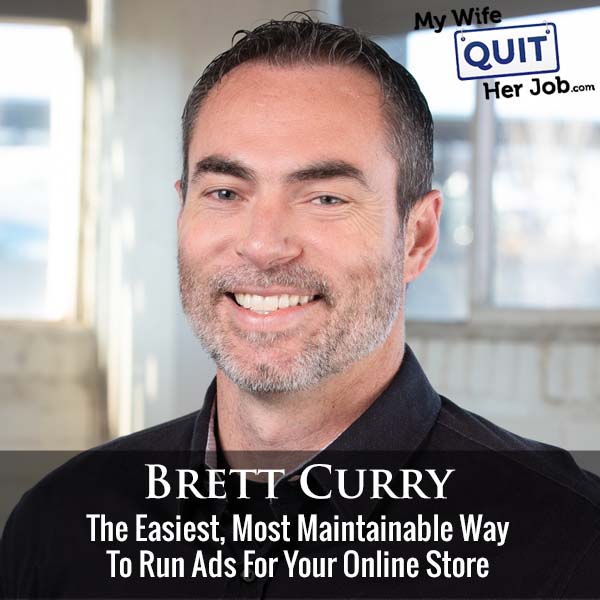
In this episode of the My Wife Quit Her Job podcast I sit down with Brett Curry of OMG Commerce, whose agency manages roughly $100 million a year in Google and YouTube ad spend for ecommerce brands. Brett walks through why Google Performance Max is the closest thing to a set-and-forget ad campaign for online stores, and exactly how to structure one so it does not waste your budget.
If you sell physical products and you are not running Google Performance Max (PMax) yet, this is the campaign type to start with. PMax rolls seven Google surfaces (Search, Shopping, Display, YouTube, Gmail, Discovery, Maps) into one campaign, uses Google’s machine learning to place ads across all of them, and reliably outperforms the older Smart Shopping setup by 20 to 40 percent in Brett’s client data.
Below is the full playbook: the three PMax structures Brett uses (Marley, Arnold, Wizard), how to build a product feed that PMax actually rewards, how to size expectations for month one versus month three, and the site-readiness checklist he runs before spending a dollar.
Get My Free Mini Course On How To Start A Successful Ecommerce Store
If you are interested in starting an ecommerce business, I put together a comprehensive package of resources that will help you launch your own online store from complete scratch. Be sure to grab it before you leave!
Table of Contents
Key takeaways
- Google Performance Max is one campaign that runs across Search, Shopping, Display, YouTube, Gmail, Discovery, and Maps. Most PMax spend (70 to 90 percent of clicks) lands on Google Shopping, so your product feed is the biggest lever.
- For a brand-new Google Ads account, launch two campaigns: a branded search campaign for your brand terms, plus one PMax campaign. That is enough to start.
- Brett’s three PMax structures: Marley (one campaign, one asset group per category), Arnold (a campaign for each top product plus a category campaign), and Wizard (single-product campaigns plus feed-only and no-feed PMax variants).
- Product-feed titles matter more than anything else in the feed. Google weights the first 40 to 50 characters heaviest. Put descriptors and search terms up front and brand at the end unless you are a household name.
- Do not switch site conversion tracking to GA4 for Google Ads bidding. Keep the Google Ads conversion pixel as the source of truth for the campaigns. Use GA4 for your own reporting.
- Before spending on ads, your product page should convert cold traffic at 1 to 3 percent. Below that, fix the page (or the product-market fit) before you scale ad spend.
What is Google Performance Max and why ecommerce stores use it
Google Performance Max is a single Google Ads campaign type that runs across seven Google surfaces at once: Search, Shopping, Display, YouTube, Gmail, Discovery, and Maps. You give Google your product feed, images, headlines, descriptions, and videos, and Google’s machine learning decides where each ad shows and to whom.
For ecommerce, PMax has replaced Smart Shopping and now drives 20 to 40 percent more spend for the same accounts, according to OMG Commerce’s audit data. Most of that spend (70 to 90 percent of clicks) still lands on Google Shopping, so PMax is essentially “Smart Shopping plus everything else Google can do.”
The trade-off is control. PMax is more of a black box than the old Google Shopping setup, and you cannot see per-keyword performance the way you used to. Brett’s view: the results are worth it, and the levers you do have (asset groups, feed quality, budget separation) are enough to steer the machine.
Should you switch to GA4 to run Google Performance Max ads?
You do not need to switch site conversion tracking to GA4 to run Google Performance Max ads. Google Ads campaigns run better when the Google Ads conversion pixel is the source of truth, not the GA4 conversion.
Install GA4 anyway for your own reporting and buyer-journey analysis. Ideally you set it up a year ago so you have year-over-year data now that Universal Analytics has sunset. If you are late to GA4, do it now, but keep the Google Ads pixel firing for the campaigns.
Google Ads and Google Analytics measure conversions differently. Feeding GA4 conversions back into Google Ads for bidding usually makes campaigns worse. OMG audits accounts using GA-based conversions all the time, switches them to the Google Ads pixel, and sees better performance.
Brett Curry’s 3 Google Performance Max structures (Marley, Arnold, Wizard)
Brett runs Google Performance Max in three escalating structures depending on account size and how much control the advertiser wants: the Marley (simple), the Arnold (more work, better results), and the Wizard (advanced tinkering).
Before we go deeper, a PMax campaign contains “asset groups.” An asset group is roughly the PMax equivalent of an ad group: a collection of images, headlines, descriptions, videos, logos, product-listing groups, and audience signals that share the same theme. Google auto-assembles ads from those assets.
The Marley: one PMax campaign, one asset group per category
The Marley is the simplest Performance Max structure and the right starting point for most stores: one PMax campaign, with one asset group per product category. If you have 20 SKUs across three categories, you have three asset groups (one for each category).
Each asset group gets its own images, headlines, descriptions, and videos that match that category. A single asset group cannot write compelling copy for mascara, moisturizer, and lipstick at the same time, so splitting by category keeps each group tightly themed.
Once it is live, you barely touch it. You can prune the worst-performing images and headlines and swap in new ones, but Google will find the best combinations on its own if you leave it alone.
The Arnold: separate campaigns for top products plus category campaigns
The Arnold is a more aggressive PMax structure that gives each top-selling product its own campaign, plus category campaigns for everything else. It is more work than the Marley and it usually returns better numbers.
Example: for OMG’s client Boom by Cindy Joseph, the flagship Boomstick Trio gets its own campaign. Mascara gets its own campaign, and other products go into category campaigns.
That way each flagship product has its own budget line and its own bid target, so Google cannot starve mascara to feed the Boomstick.
The trigger for graduating from Marley to Arnold is usually visibility. If one asset group is soaking up 80 percent of your PMax budget and the other two are getting no clicks, split the starved asset groups into their own campaigns.
The Wizard: single-product, feed-only, and no-feed PMax variants
The Wizard is the most advanced Performance Max structure and adds two unusual variants: PMax campaigns with no product feed at all, and PMax campaigns with only a feed. Both let you steer PMax into surfaces it would otherwise ignore.
A no-feed PMax campaign cannot run Shopping, so it leans into Search, Display, and YouTube. This works well when you have strong YouTube creative and want PMax to find new YouTube placements. A feed-only PMax campaign strips out everything except the product feed, so it behaves like a pure Shopping campaign.
The catch: run the Wizard structure only if you can watch it weekly. Multiple PMax campaigns will start competing with each other, and if you set it up and walk away, cannibalization will eat your budget.
How to build a Google Shopping feed that Performance Max rewards
To build a Google Shopping product feed that PMax rewards, treat the feed as part SEO and part merchandising: accurate title, search-friendly descriptors up front, a strong white-background image, competitive price, and correct Google product category and product type fields.
Write product titles that put descriptors first, brand last
Write product titles that lead with an accurate product description plus the search terms shoppers actually type, and put the brand at the end unless you are a well-known brand. Google weights the first 40 to 50 characters of a title the heaviest and cuts you off around 150 characters total.
Brett’s example: OMG runs ads for Everyday California. Their bestselling shirt is called the “El Clasico.” If the feed title just said “El Clasico,” nobody (Google included) would know what it is. The optimized title reads roughly “California Bear T-Shirt, Black, Men’s Medium, El Clasico, Everyday California.” Search-friendly descriptors first, brand last.
The exception is well-known brands. For a “Native” deodorant SKU or an “Air Jordan” listing, put the brand first because that is what shoppers search. For everything else, lead with the descriptor.
Optimize the product image, price, and category fields
Use a clean white-background product image for at least one of your feed images because Google requires it and it is what shoppers click on first. You can sometimes sneak a lifestyle image in and it will still run.
Price affects clicks. Google knows that in a Shopping row of near-identical products, the lower-priced listing wins more clicks.
That does not mean you should price to the bottom. Price for margin, but understand that price is a click-through variable.
Fill out Google product category, product type, GTIN, brand, color, size, and gender fields. Those tell Google where in Shopping (and on YouTube, Gmail, and Display) the product is eligible to show. A well-filled feed appears across more Google surfaces.
Which Google Ads campaigns should a new store launch first?
A new ecommerce store should launch two Google Ads campaigns first: a branded search campaign that bids on your own brand name, plus a single Performance Max campaign built around your product feed. Do that before adding non-brand search, YouTube, or Display campaigns.
Branded search is cheap and reliably converts because the searcher is already looking for you. PMax picks up everything else, leans heavily into branded search and Shopping in month one, then expands from there. Expect month two and month three to look meaningfully better than month one as Google’s machine learning finds pockets that work.
Set the bid strategy to “Maximize Conversion Value” rather than “Target ROAS” at launch. Layer a target ROAS in later once you have enough conversion data (aim for 30-plus conversions per week at the campaign level for stability). Setting a strict ROAS target from day one can pigeonhole the campaign and starve it.
PMax vs Smart Shopping vs standard Shopping: which one to use in 2024
For most ecommerce stores today, PMax is the correct choice over Smart Shopping or standard Shopping. Smart Shopping has been sunset for most advertisers, and PMax will “stiff-arm” a standard Shopping campaign in the same account, taking all the traffic anyway.
Comparison: Google Ads campaign types for ecommerce
| Campaign type | Coverage | Control | Best for |
|---|---|---|---|
| Standard Shopping | Shopping only | High (manual bids, per-product) | Advanced users who want per-product bid control (rare today) |
| Smart Shopping | Shopping + Display remarketing | Medium | Mostly sunset. Migrate to PMax. |
| Performance Max | Shopping, Search, Display, YouTube, Gmail, Discovery, Maps | Low to medium (asset groups + feed levers) | Nearly every ecommerce store today |
| Branded Search | Search on your brand name | High | Every store, always run alongside PMax |
Site-readiness checklist before running Google Performance Max
Before running Google Performance Max ads at scale, your product page needs to convert cold traffic (people who have never heard of your brand) at 1 to 3 percent. That is the accepted ecommerce baseline. Below 1 percent, fix the page or the product-market fit before you scale ad spend.
Answer the questions a cold visitor has on the product page itself: shipping, returns, reviews near the buy button, a strong call to action, product photos that show scale and detail. Missing answers show up as poor conversion, which then shows up as a broken ad campaign that is not really the ad campaign’s fault.
If the site converts, you can start Google Ads early with just branded search plus a lightly built PMax campaign (feed plus a few images). YouTube and non-brand Search work better once you have already shown you can convert cold traffic elsewhere (usually a Facebook top-of-funnel campaign is a good proxy).
How long before Google Performance Max starts to optimize?
Google Performance Max usually starts to show meaningful results in month one and hits its real stride in month two or month three, as the machine learning finds combinations of assets, audience signals, and placements that work for your account.
Because PMax leans heavily into branded search and Shopping on launch, it rarely comes out of the gate at a 0.5x ROAS and burns your budget. The more common bad outcome is that PMax simply spends less than your daily budget until it finds pockets that convert.
Give it 60 to 90 days before making structural changes. Prune underperforming assets, watch which asset groups get zero love, and split the starved ones into their own campaigns.
Frequently asked questions
What is Google Performance Max?
Google Performance Max (PMax) is a single Google Ads campaign type that automatically runs ads across Search, Shopping, Display, YouTube, Gmail, Discovery, and Maps. You supply the assets and feed; Google’s machine learning decides placements, audiences, and bids.
Do I need GA4 to run Google Performance Max ads?
You do not need GA4 conversions to run Google Performance Max. Keep the Google Ads conversion pixel as the source of truth for bidding. Install GA4 for your own reporting, but do not feed GA4 conversions back into Google Ads.
How much of a Performance Max campaign is Google Shopping traffic?
For most ecommerce accounts, 70 to 90 percent of Google Performance Max clicks come from Google Shopping. That is why the product feed is the highest-leverage optimization in a PMax build.
How many asset groups should a Performance Max campaign have?
A simple Performance Max campaign should have one asset group per product category (Brett Curry’s “Marley” setup). As you grow, split top-selling products into their own campaigns rather than adding more asset groups to one campaign, since asset groups in the same campaign share a budget and bid.
What should a Google Shopping product title look like?
A Google Shopping product title should lead with an accurate product descriptor and the search terms shoppers actually type, then include attributes (color, size, gender), then the brand (unless the brand is well-known, in which case brand comes first). Google weights the first 40 to 50 characters of the title heaviest and caps titles around 150 characters.
What conversion rate does my store need before scaling Google Ads?
Your product page should convert cold traffic at 1 to 3 percent before you scale Google Ads spend. Below that, the problem is usually the page or the product-market fit, and pouring more budget into ads will not fix it.

